Google Maps in Korea? 5 Rules for Using NAVER Map & KakaoMap
Google Maps might be your go-to travel app, but South Korea is one destination where having a local map app can make your trip easier.
Google Maps has historically had limitations with detailed navigation in Korea. In February 2026, the Korean government conditionally approved the export of detailed map data to Google, which could lead to improvements. However, available features may change as those improvements are introduced.
That’s why it’s worth getting familiar with two popular Korean alternatives: NAVER Map and KakaoMap.
Both offer local place searches, public transportation routes and walking directions. Here are five simple rules to help you use them during your trip.
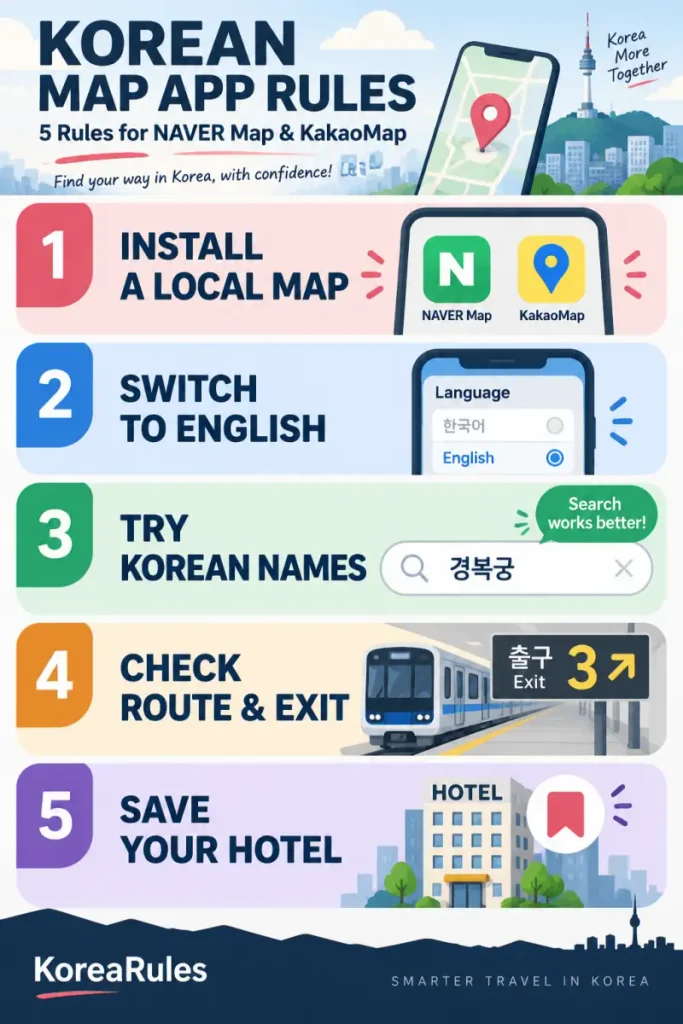
Rule 1 — Install a Korean Map App Before You Arrive
Don’t wait until you’re standing outside the airport trying to figure out how to reach your hotel.
Download and test at least one Korean map app before your flight.
Which app should you install?
| NAVER Map | KakaoMap | |
|---|---|---|
| English interface | Yes | Yes |
| Walking directions | Yes | Yes |
| Public transportation | Yes | Yes |
| Local place searches | Yes | Yes |
| Saved places | Yes | Yes |
Both apps provide Korean navigation features and support English, although some local information may remain untranslated.
Official Download Links
You can install NAVER Map as your main navigation app and keep KakaoMap as an alternative. Try both before your trip to see which interface you find easier to use.
The KoreaRule: Install and test a Korean map app before arriving in Korea.
Rule 2 — Switch Your Map to English
You don’t need to understand Korean menus to get started.
NAVER Map supports English, Japanese and Simplified Chinese alongside Korean. Its official help center provides instructions for changing the app language.
How to change NAVER Map to English
Android
MY → Settings ⚙ → Language → English
Open NAVER Map, tap the MY profile icon beside the search bar, then open Settings and select English under Language.
iPhone
MY → Settings ⚙ → Language
You can also go to your iPhone’s Settings → NAVER Map → Preferred Language and select English.
If Preferred Language is missing, add English under Settings → General → Language & Region, then check again.
KakaoMap also supports an English interface, but the location of its language settings may vary by app version and device.
Even with English selected, some business names, reviews and local notices may still appear in Korean.
The KoreaRule: Use the English interface, but don’t expect every Korean place name to be translated.
Rule 3 — Can’t Find a Place? Try Its Korean Name
Imagine you’ve found a restaurant on social media, but searching its English name produces several unrelated results.
Before giving up, try searching for its Korean name.
Some businesses use different English spellings, and several branches may have similar names. Searching the exact Korean name or street address can help you identify the correct location.
For example:
Gyeongbokgung Palace
경복궁Copy Korean
Seoul Station
서울역Copy Korean
For hotels and restaurants, copy the Korean address from your booking confirmation or the business’s official website.
Always check the exact branch before following the route.
The KoreaRule: If an English search doesn’t work, try the Korean name or address.
Rule 4 — Check Your Route and Subway Exit
Finding the right destination is only the beginning. You also need to know how to get there.
After choosing a destination, tap the directions button and select your preferred transport method.
Both NAVER Map and KakaoMap provide public transit and walking routes. NAVER Map also offers real-time transit information and boarding and alighting notifications.
Before starting your journey, check three details.
- Subway: Look at the train direction, transfer station and recommended exit, where available.
- Bus: Check the bus number and the exact boarding stop. Stops with similar names can be on opposite sides of the road.
- Walking: Follow the route to your destination’s actual entrance, not just the general location on the map.
Choosing the correct subway exit can save you from a long walk around a large intersection or station complex.
Also remember that estimated arrival times can change, so check your route again before leaving.
The KoreaRule: Check the stop, transfer and exit—not just the destination.
Rule 5 — Save Your Hotel Before You Start Exploring
Your hotel is one location you should always be able to find again.
Before your first sightseeing trip, search for your hotel and save its exact location in your map app.
NAVER Map offers bookmarks for restaurants, attractions and other places, making it easier to organize your travel plans.
Consider saving your hotel, the nearest subway station and your airport transportation stop. If a feature requires an account, set it up before your trip.
As a backup, copy your hotel’s Korean address into your phone’s notes and take a screenshot of its location.
That way, even if your internet connection temporarily stops working, you can still show the address to someone nearby.
The KoreaRule: Save your hotel and essential addresses before your first journey.
The KoreaRule
INSTALL → ENGLISH → SEARCH → ROUTE → SAVE
Prepare your map before arrival, search Korean names when needed, and check the exact transit stop and exit before you go.
Continue Planning Your Korea Trip
Helpful guides for getting connected and getting around.
Need mobile data to use your Korean map app?
→ Korea eSIM vs SIM Card vs Pocket Wi-Fi: Which Is Best for Travelers?
Taking the subway after finding your route?
→ 7 Subway Rules Tourists Should Know in Korea
Planning your first journey from the airport?
→ Incheon Airport to Seoul: 5 Rules for Choosing AREX, Bus or Taxi
Before You Arrive
- Download NAVER Map or KakaoMap.
- Set your preferred language.
- Search for your hotel using its Korean address.
- Test one subway or bus route.
- Save your hotel location and prepare mobile internet access.
FAQ
Does Google Maps work in South Korea?
Google Maps can be useful for finding places and planning your itinerary. However, detailed navigation has historically been restricted in Korea. The government’s conditional approval of detailed map-data exports in February 2026 may lead to improvements, so check which functions are available when you travel.
Is NAVER Map available in English?
Yes. NAVER officially supports English, Korean, Japanese and Simplified Chinese. Some business information and user-generated content may still appear in Korean.
Can I use KakaoMap in English?
Yes. Its official iPhone listing includes English and Korean as supported languages. Not all local content is necessarily translated.
Do I need a Korean phone number?
Basic map searches and public directions can be used without a Korean phone number. However, certain account-based features or services may have additional registration requirements.
Can I use these map apps offline?
Don’t depend on offline access for live transit information or navigation. Prepare a mobile data connection and keep screenshots of important addresses as a backup.
Which map app should I download?
Both NAVER Map and KakaoMap offer local navigation. Try them before your trip, check which interface you find easier to use, and consider installing the other as a backup.
Sources
NAVER Help — Map App Language Settings — Official instructions for Android and iPhone language settings.
NAVER Map — Official Google Play Listing — App languages, transit directions, bookmarks and navigation features.
KakaoMap — Official Google Play Listing — Walking directions, public transit and real-time bus information.
KakaoMap — Official App Store Listing — iPhone availability and supported languages.
Ministry of Land, Infrastructure and Transport — Google Map Data Decision — February 27, 2026 announcement of conditional approval for detailed map-data exports.